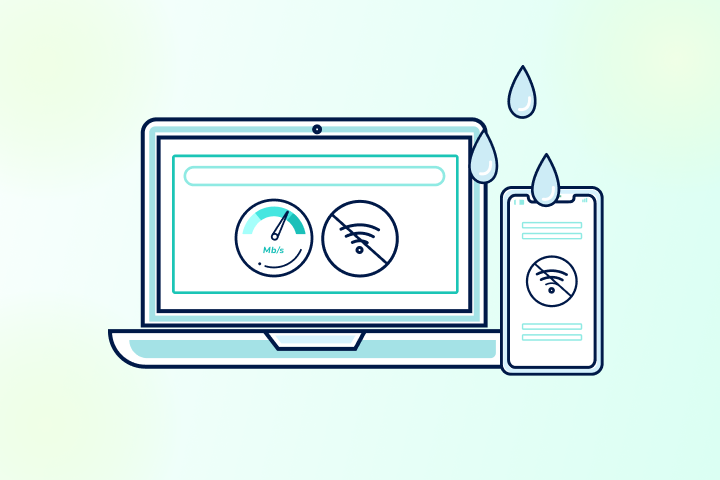
Yes, the weather can affect internet speed, but it depends on your internet connection type. Wireless connections (satellite, fixed wireless, and 5G home internet) are the most vulnerable because precipitation and obstruction directly attenuate radio signals. Wired connections (fiber, cable, and DSL internet) are rarely affected by weather itself; outages almost always trace back to power loss or physical damage to cables and equipment.
Weather doesn’t hit every internet connection the same way. If you have fiber, cable, or DSL, a rainstorm is unlikely to touch your signal, but it can knock out the power or damage the equipment that keeps you online. If you’re on satellite, fixed wireless, or 5G home internet, the weather is a direct threat: rain, snow, ice, and even wet leaves absorb and scatter the radio waves your connection depends on.
Below, we explain how each connection type behaves in bad weather and what to do.
Key Takeaways: Weather and Internet Performance
- Yes, weather can affect internet performance, but mostly on wireless internet connections (satellite, fixed wireless, some 5G).
- Not usually your Wi-Fi itself: power blips or congestion cause many “storm” slowdowns.
- Satellite: rain fade and snow or ice on the dish cause dropouts.
- Fixed wireless & 5G: wet foliage, rain, and wind, and mmWave sensitivity; improve line of sight.
- Fiber, Cable, and DSL: weather rarely affects the signal; issues typically result from power or plant damage.
Comparing Weather Impacts on Different Internet Connection Types
| Connection type | Resilience | Main weather risk | Primary fix |
| Fiber | Highest | Power outage to ONT or physical cable damage, not the signal itself | UPS on ONT and router; check ONT lights after storms |
| Cable (coax) | High | Water ingress at connectors; ice or wind on aerial runs; post-storm congestion | Tighten connectors; drip loops outdoors; UPS |
| DSL (copper) | Moderate | Wet soil raises line noise; attenuation causes sync drops or disconnects | Replace filters; request ISP line check; upgrade to fiber or cable if available |
| 5G home | Moderate | Heavy rain and wet foliage add mild attenuation; Low-E windows worsen dips | Rain, humidity, wet foliage attenuate the signal; ice or wind can shift antenna alignment |
| Fixed wireless | Moderate–low | Rain fade on Ka/Ku-band; snow or ice blocking the dish; storms near ground stations | Clear antenna of snow or ice; improve line of sight; request higher-gain equipment |
| 5G home — mmWave | Low | Rain fade at 24–71 GHz; any obstruction (wet leaves, glass) causes significant drops | External antenna; tower-facing window; backup connection |
| Satellite (Starlink, HughesNet, Viasat) | Lowest | Rain fade on Ka/Ku-band; snow or ice blocking dish; storms near ground stations | Keep dish clear; dish heater if available; mobile hotspot backup |
Before You Blame the Weather
Weather can disrupt internet service, but sometimes, weather isn’t the cause. Most slowdowns are:
| Issue | Symptoms | Check | Fix |
| Power blips/outages | LEDs look wrong; Wi-Fi says “no internet.” | ISP outage map; ONT/modem/router lights | Reboot the ONT or modem, then the router; use a UPS |
| Network congestion | Slow even on Ethernet at busy times; high latency | Test off-peak vs. peak | Schedule big tasks off-peak; enable QoS; consider a faster plan or backup connection |
| Home network issues (mostly wireless) | Are the error lights on the router or the gateway? Router in a cabinet or obstructed? | Error lights on the router or the gateway? Router in a cabinet or obstructed? | Unplug the modem, then the router, for a few minutes; move closer to the router; place it in a central location away from walls and furniture |
Does Weather Affect Fiber Internet?
Rarely. Fiber internet carries light through glass, so the weather doesn’t interfere with the signal itself. Issues usually come from power outages or physical damage to cables or network equipment.
What actually happens
- Rain, snow, cold, and heat: Minimal effect on the optical signal; problems arise if the optical network terminal (ONT) or distribution gear loses power or gets damaged.
- Flooding, construction, or ice on aerial runs: Physical damage or equipment failure, not slowdowns.
- In-home Wi-Fi: Weather doesn’t affect your fiber speed, but it can reveal weak Wi-Fi placement or interference.
Quick diagnostics
- Check your provider’s outage map or app.
- Plug a laptop into the router (or ONT, if supported) via Ethernet and compare it to Wi-Fi.
- Verify ONT lights (Power, Alarm) and router WAN status.
What you can do right now
- Reboot the ONT and router if service is unstable after a storm.
- Test with an Ethernet connection to rule out Wi-Fi.
- If the ONT indicates errors or there’s no light on the fiber jack, contact your internet provider.
Be prepared
- Put the ONT and router on a UPS to get through brief power outages.
- Use surge protection and avoid crimped or tight bends in fiber drops.
- Check the fiber entry point and ONT for damage, loose cables, or disconnects.
Weather and Fiber Internet At-a-Glance
| Weather factor | Typical impact | What helps |
| Rain, snow, cold, heat | Very low (signal unaffected) | UPS; reboot after storms |
| Power outage | Loss of service | UPS; check neighborhood power |
| Physical damage (flood, backhoe, ice) | Outage until repaired | ISP ticket; protect entry path |
Don’t blame the weather until you’ve checked the data.
Run a speed test right now and find out if today’s slowdown is the storm outside or the provider you’re paying every month.
Test my speed right nowDoes Weather Affect Cable Internet?
It can. Cable internet coaxial plants are resistant to weather events; however, water ingress, wind, ice on aerial lines, and power issues can still cause outages or temporary slowdowns.
What actually happens
- Water ingress at connectors and splitters: Raises noise and attenuation, causing speed dips or timeouts.
- Ice and wind on aerial spans: Physical strain can cause brief errors or outages.
- Storm-driven congestion: After outages, many modems sync simultaneously, causing temporary slowdowns.
- In-home coax and Wi-Fi issues: old splitters, long coax runs, or weak Wi-Fi signal diminish performance.
Quick diagnostics
- Check the modem status page for downstream SNR/power and event log errors.
- Bypass extra splitters and connect the modem to the first coax point.
What you can do right now
- Reboot the modem and router to reset them and clear their caches.
- Inspect and tighten coax connectors; remove cheap splitters.
- Try a different coax outlet or a different cable.
Be prepared
- Use weather-rated coax and quality splitters.
- Create drip loops on outdoor runs to prevent water intrusion.
- Plug the modem and router into a UPS, and keep your provider support information handy.
Weather and Cable Internet At-a-Glance
| Weather factor | Typical impact | What helps |
| Heavy rain, ice, wind | Noise, brief errors, occasional outages | Check connectors and splitters; reboot |
| Water ingress | Persistent speed or latency issues | Replace fittings and splitters; tech visit |
| Post-storm congestion | Temporary slow speeds | Schedule high-demand tasks for off-peak hours |
Does Weather Affect DSL Internet?
It can. DSL internet uses older copper pairs that are more vulnerable to moisture, corrosion, and electrical noise, and the weather can exacerbate these issues.
What actually happens
- Rain and wet ground: Moisture raises line attenuation/noise then sync rate drops or disconnects.
- Wind or ice damage to aerial loops: Physical stress can introduce intermittent faults.
- Aging inside wiring and filters: If the voice line sounds noisy, DSL will also struggle.
Quick diagnostics
- Listen for audible noise on the phone line with a corded phone.
- Test the modem at the test jack (if accessible) to isolate faulty wiring inside or outside the home.
- Check the modem’s status lights.
Note: Not all installs include an accessible test jack, particularly newer fiber-to-the-node (FTTN) and VDSL2 setups. If yours doesn’t have one, skip this step and contact your ISP to request a remote or on-site line check instead
What you can do right now
- Reboot the modem.
- Replace microfilters and suspect wiring.
- Use a short, high-quality phone cable from the wall to the modem.
Be prepared
- Upgrade to fiber or cable internet where available.
- Keep the modem and router on a UPS; use surge protection on the phone pair.
- Ask your provider for a line check if rain reliably causes drops.
Weather and DSL Internet At-a-Glance
| Weather factor | Typical impact | What helps |
| Rain or wet soil | Higher attenuation or noise causes slowdowns | Test at the provider network entry point, replace filters, and ask the provider for a line check |
| Wind and ice | Intermittent faults | Technician visit to repair or secure aerial runs |
| Aging inside wiring | Chronic instability | Rewire and shorten run; upgrade equipment |
Does Weather Affect Satellite Internet?
Yes. Satellite internet uses high-frequency radio waves that are sensitive to precipitation and blockage, a phenomenon often called rain fade.
What actually happens
- Heavy rain or snow: Precipitation absorbs and scatters the signal, causing slowdowns or brief dropouts.
- Snow or ice on the dish: A physical blockage detunes or breaks the link until it clears or melts.
- Storms near ground stations: Even if skies are clear at your house, weather along the network path can affect service.
- Obstructions and low elevation angles: Trees and buildings, plus wet foliage, worsen marginal links.
Quick diagnostics
- Check the app and your router for outage or obstruction messages and signal quality.
- Compare performance under clear and stormy conditions to confirm the weather’s impact.
- Inspect the dish view (sky clearance) for snow, ice, or debris buildup.
What you can do right now
- Wait out intense cells—short dropouts are common in downpours.
- Clear snow and ice from the dish (safely); ensure an unobstructed sky view.
- Reboot the modem and router after severe weather to refresh operation.
Be prepared
- Mount with a clear line-of-sight; consider a higher mast if trees or buildings intrude.
- Use dish heaters or covers where supported; route cables with drip loops.
- Put gear on a UPS; keep a backup connection (LTE/5G hotspot) for critical uptime.
Weather and Satellite Internet At-a-Glance
| Weather factor | Typical impact | What helps |
| Heavy rain (rain fade) | Slowdowns and dropouts | Wait out cells; keep a clear line of sight |
| Snow or ice on the dish | Temporary loss | Clear buildup; dish heater or shield |
| Storm near the ground station | Regional degradation | Redundancy (hotspot); patience |
| Obstructions and wet foliage | Ongoing attenuation | Relocate or mount on a mast; trim where allowed |
Does Weather Affect Fixed Wireless Internet?
Sometimes. Fixed wireless internet delivers service from a nearby tower to a receiver at your home. Performance depends on signal frequency, line of sight, and distance, all of which can be influenced by weather.
What actually happens
- Rain & heavy humidity: Water absorbs and attenuates radio waves, especially at higher frequencies, reducing signal strength for short periods.
- Snow and ice: Accumulation on outdoor antennas or brackets can block or slightly detune the signal; wet, heavy snow is the worst culprit.
- Wind: Can flex masts or slightly shift alignment, raising error rates until the gusts calm.
- Foliage growth after rain: Leaves hold water and become more dense, adding seasonal or post-storm attenuation.
- Temperature swings: Can affect cable loss and radio components at the margins, especially on long runs or with older gear.
- Power outages: The link may be fine, but your equipment (or the tower or network stations) loses power.
- Licensed* links are generally more stable; unlicensed (e.g., 5 GHz) links can be more susceptible to interference, which wet foliage worsens.
*Licensed fixed wireless or 5G uses radio frequencies that the provider has exclusive rights to, and are more reliable and consistent. Unlicensed uses open or shared bands (Wi-Fi frequencies), which are cheaper and easier to deploy but more prone to interference and speed swings.
Quick diagnostics
- Run a speed test over Ethernet vs. Wi-Fi to isolate local wireless issues.
- Check signal quality (in the provider app or router UI); note if it drops during storms.
- Inspect the antenna line of sight for new obstructions (leaves, ice, snow).
- If speeds tank only on Wi-Fi, move the router or switch bands (2.4 GHz for range; 5 GHz for throughput).
What you can do right now
- Reboot the receiver and router after severe weather.
- Clear snow and ice from outdoor equipment (if safely accessible).
- Reduce obstacles: position indoor receivers near a window facing the tower; avoid metal screens or low-E coatings if possible.
- Try another band or channel in the admin app, if available.
- Use Ethernet for critical devices during storms.
Be prepared
- Mount outdoor gear securely; tighten brackets and use weather-rated coax/connectors.
- Add a surge protector and a UPS for the modem and router.
- Ask your provider about an external antenna upgrade or higher-gain equipment if you’re far from the tower.
- Keep a backup option (mobile hotspot or satellite failover) for outages.
Weather and Fixed Wireless Internet At-a-Glance
| Weather factor | Typical impact | What helps |
| Heavy rain or humidity | Mild to moderate attenuation | Reboot, relocate CPE, higher-gain antenna |
| Wet snow or ice on the gear | Temporary dropouts | Clear buildup; heated or rain-shielded mounts |
| High wind | Brief noise or alignment drift | Rigid mounting; check brackets |
| Leafy, wet foliage | Ongoing attenuation | Raise or relocate antenna; trim where permitted |
| Power outage | Full loss | UPS; backup connection |
Does Weather Affect 5G Home Internet?
It can—how much depends on which 5G band your service uses. Mid-band (sub-6 GHz) 5G home internet is generally resilient; mmWave (high-band) 5G delivers top speeds but is more sensitive to rain, obstruction, and even window coatings.
What actually happens
- Mid-band (roughly 2.5–4 GHz): Usually stable through typical rain and snow; tower congestion and power issues are more prevalent than weather itself.
- High-band or mmWave (24–71 GHz, but commonly 24–39 GHz in deployed U.S. networks): Offers multi-gig speeds at short ranges, but rain fade, and any obstruction (wet leaves, glass, even a hand over the gateway) can cause significant drops.
- Inside the home: Low-E or metal-framed windows and foil-backed insulation can attenuate 5G signals, exaggerating weather-related dips.
Quick diagnostics
- Check the gateway app for your current band (mid-band vs. mmWave) and signal metrics.
- Move the gateway to different windows and walls; test again during and after inclement weather to see if band selection or signal path changes.
What you can do right now
- Reposition the gateway to a window facing the tower; avoid metal screens and low-E coatings if possible.
- Elevate the unit and keep it clear of large appliances or mirrors.
- Force a band refresh by rebooting (some apps also let you “optimize” placement).
- Connect critical devices via Ethernet to remove local Wi-Fi variables.
Be prepared
- Ask the provider about external antenna options or a different gateway model with better radios.
- Use a UPS for your gateway during power outages.
- Maintain a secondary connection (mobile hotspot, cable, DSL, or satellite) to ensure critical uptime.
Weather and 5G Home Internet At-a-Glance
| Weather factor | Typical Impact (Mid-band (sub-6) / mmWave (high-band) | What helps |
| Moderate rain/snow | Low / Moderate-High | Reposition gateway; clear obstructions |
| Heavy rain (downpours) | Low – Moderate / High (rain fade) | Closer and a clear line of sight; external antenna |
| Wet foliage and obstructions | Low – Moderate / High | Elevate gateway; different window |
| Power outages | High / High | UPS; backup connection |
If Bad Weather Isn’t the Problem, What Is?
If the weather is clear, then the reasons for slow internet are likely within your home and under your control. Here are a few easy troubleshooting actions you can take to improve your internet connection.
Restart Your Router
Routers perform best when caches and tasks are purged. You can do this simply by restarting your router and/or modem. We recommend doing this at least once a month. Tasks and connections can bog down hardware, so this simple step can solve many issues.
Move Closer to Your Router
The strength of your Wi-Fi connection depends on how close you are to the router and what is between you and it. Wi-Fi signals slowly weaken with distance, and barriers like furniture and walls can interfere with or deflect them. You can fix this by moving closer to your router, investing in Wi-Fi extenders, and placing the router away from obstructions.
Upgrade Your Internet Plan
Sometimes the issue may be the internet connection. Cable internet, for instance, is more susceptible to network congestion. You can upgrade to a faster plan to offset this, or switch to a different internet service. Different internet activities require different bandwidths. And no matter what you do, there’s a limit depending on what you pay for. Upgrade your speed for your internet lifestyle and prevent headaches down the road.
How Can I Prepare My Internet for Inclement Weather?
If you’re in an area with frequent weather disruptions or connectivity is critical for your remote work, prepare now for outages. Here are quick, easy actions you can take to stay online or bounce back when storms hit.
Power: Put your ONT, modem, router, or gateway on a UPS; storms often cause brief power dips.
Surge protection: Use surge protection on power and (where applicable) repair cabling and wiring.
Cabling: Place drip loops on outdoor cables and replace corroded connectors and splitters.
Line of sight: Keep dishes, antennas, and receivers clear of snow, ice, and debris; maintain a clear line of sight.
Backup plan: Keep a mobile hotspot or neighbor’s guest Wi-Fi as a fallback for critical work.
Safety: Never access roofs during storms; when in doubt, schedule a tech visit.
Pro tip: Schedule a monthly reboot of your modem, router, or gateway, and a quarterly check of your cables and connections to optimize your home network.
Weather the Storm with Better Internet
Bad weather is one of those phenomena we cannot control. What we can control, though, is how we prepare for rainy days. If you’re looking for reliable internet that keeps you connected at all times, consider your connection type and the available providers in your area. Enter your ZIP code into our provider search tool to find the best providers and plans near you.
See every ISP available in your area.
If your speeds drop every time conditions change, your provider may be using weather as cover. See what ISPs are competing in your area and what they’re actually delivering.
Compare providersFAQs: Weather, Wi-Fi, and Internet Performance
Does the weather affect internet performance?
Yes, mainly for wireless options (satellite, fixed wireless, and some 5G). Fiber, cable, and DSL are usually impacted indirectly by power loss or physical damage, not the weather signal itself.
Can the weather affect the internet connection even if my power stays on?
Yes. Towers, nodes, or ground stations can lose power or suffer damage even if your home doesn’t. Rain, snow, and wet foliage can weaken wireless links.
Does bad weather affect Wi-Fi?
Indirectly. Outdoor weather doesn’t travel through your living room, but storm-related interference, power blips, and congestion can cause problems that feel like Wi-Fi issues. Always test Ethernet vs. Wi-Fi to isolate.
Does the weather affect Wi-Fi signal strength inside my house?
Not directly. What you’re sensing as “signal strength” is usually interference, poor router placement, or congestion—not the rain itself.
Can rain affect Wi-Fi or home internet speeds?
Rain can attenuate wireless backhaul (satellite, fixed wireless, mmWave 5G) and cause brief dropouts. For fiber, cable, and DSL, rain more often causes water ingress or power issues, not true Wi-Fi signal loss.
Why is satellite slower in storms (what is rain fade)?
Satellite uses high-frequency radio that precipitation absorbs and scatters (“rain fade”), so heavy rain/snow can reduce SNR and cause short outages, especially with snow on the dish.
Does snow or ice on my dish or antenna matter?
Yes. Snow and ice physically block or damage dishes and antennas. Clear it safely from the ground when bad weather passes; consider heaters or shields if available.
Will wind affect fixed wireless or 5G home internet?
It can. Wind flex can nudge outdoor antennas off alignment, and wet, leafy trees add attenuation. For 5G, mmWave is more sensitive to rain and obstructions than mid-band (sub-6 GHz).
Fiber is “weather-proof,” so why does mine drop in storms?
The glass signal is fine; the usual culprits are power outages (to your ONT or neighborhood gear) or physical damage from flooding/ice/backhoes. Check ONT lights and your ISP’s outage map.
Why does cable or DSL internet slow down after a storm, even when it’s sunny now?
Two reasons: post-outage congestion (many reconnections at once) and water ingress in coax and copper (cable and DSL), which raises noise and attenuation until fittings dry or are replaced.
How do I tell whether it’s weather, congestion, or Wi-Fi?
- Weather: performance tracks the storm; wireless links drop briefly.
- Congestion: slow, even on Ethernet, during peak times; higher latency and jitter.
- Wi-Fi: Ethernet is fine; Wi-Fi isn’t. Moving closer to the router helps.
Quick fixes during storms (what actually helps)?
Use Ethernet for critical devices, reboot the modem, router, and/or gateway after outages, and ensure a clear line of sight for dishes and antennas.
Can window coatings or building materials affect 5G home internet?
Yes. Low-E glass, metal screens, and foil-backed insulation can attenuate indoor 5G home internet gateways, worsening any weather-related dips. Try a tower-facing window or ask about an external antenna.
Does Starlink slow down in rain?
Yes, Starlink can slow down in heavy rain or snow. Starlink uses Ka- and Ku-band satellite signals, which are susceptible to rain fade, which is a phenomenon where precipitation absorbs and scatters high-frequency radio waves, reducing signal strength. Brief speed dips or dropouts during heavy downpours are normal. Snow or ice accumulating on the dish is a more common culprit than rain alone, as a physical blockage can cut the connection entirely. Light to moderate rain typically causes minimal impact. To minimize disruptions, keep the dish free of snow and ice (as long as it is safe to do so), ensure a clear, unobstructed sky view, and consider a mobile hotspot as a backup for critical connectivity during storms.
Does T-Mobile home internet work in storms?
Usually, yes. T-Mobile Home Internet runs on mid-band 5G (primarily n41 at 2.5 GHz and C-Band around 3.7–3.98 GHz), which is relatively resilient to rain and moderate weather. The signal itself is unlikely to degrade significantly during a typical storm. The more common causes of disruption are power outages to your gateway or to T-Mobile’s towers and backhaul equipment, and post-storm network congestion as devices reconnect. Heavy rain or wet foliage can cause mild attenuation, and Low-E window coatings can worsen any weather-related dip by blocking the indoor gateway’s signal path. Keeping the gateway on a UPS and positioning it in a tower-facing window without low-E glass or metal screens will give you the best storm-weather performance.