Check Your Spectrum Internet Speed
If you’ve ever wondered whether Spectrum is delivering the speed on your bill, this is the fastest way to find out. Run the test, compare your result to your plan’s advertised speed, and you’ll know in under a minute whether your connection is performing the way it should, or whether something’s worth digging into further.
🔍 Pro Tip: For the most accurate results, connect directly to your modem with an Ethernet cable and pause other downloads or streams first. Wireless results will always run a bit lower than wired, and that gap is normal, not a sign something’s broken.
Understanding Your Speed Test Results
⬇️ Download Speed
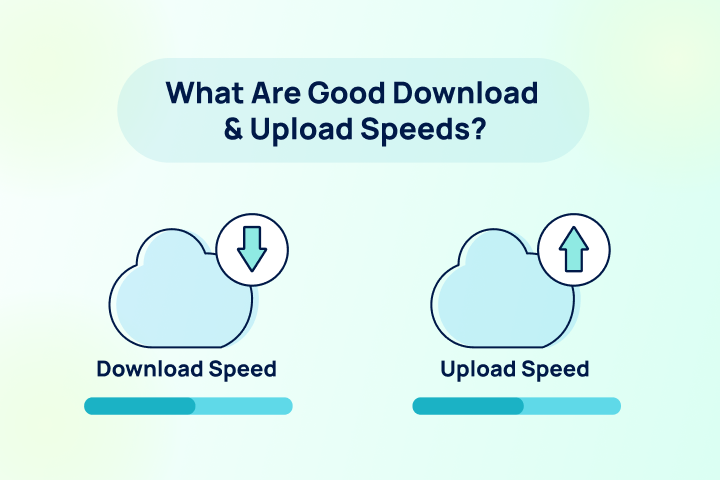
Download speed is how fast data is received, which determines how quickly a page loads to how long a movie takes to buffer. Spectrum’s current lineup runs from 100 Mbps on its entry Spectrum Internet® 100 plan up to 7,000 Mbps (7 Gig) in select markets, delivered over internet “powered by fiber” and connected to homes by coaxial cable; the same hybrid fiber-coaxial setup used across most major cable providers.
⬆️ Upload Speed
Upload speed governs everything you’re sending rather than receiving; activities like video calls, cloud backups, and live streaming rely on upload speed more than download speed. On most current Spectrum tiers, as well as most cable internet plans, upload speed lags well behind download. The Spectrum 2 Gig tier is the outlier; it pairs 2,000 Mbps download with up to 1,000 Mbps upload, a more balanced connection than the lower tiers. Charter (Spectrum’s parent company) has also publicly committed to a network upgrade to bring symmetrical, multi-gigabit speeds across its full footprint, targeted for 2027.
⚡ Ping Rate (Latency)
Latency is the round-trip data makes between your device and a server on the internet and is measured in milliseconds; the lower the number the better. As a hybrid fiber-coaxial internet connection, Spectrum typically posts latency in the low double digits on a wired connection, which is fast enough for competitive gaming and real-time video calls in most cases. General guidance:
- Under 100 ms for general browsing and streaming
- Under 30 ms for competitive gaming and real-time communication


What Is a Good Spectrum Speed?
With five tiers spanning 100 Mbps to 7,000 Mbps, the right Spectrum plan comes down to household size and how many things are happening on the network at once:
| Household | Recommended Spectrum Speed | Best-Fit Plan |
| 1–2 light users (browsing, email, HD streaming) | 100 Mbps | Spectrum Internet® 100 |
| 3–4 users (4K streaming, gaming, work from home) | 500 Mbps – 1 Gig | Spectrum Internet® 500 or Gig |
| 5+ users / heavy simultaneous use, upload-heavy work | 1 Gig or higher | Gig, 2 Gig, or 7 Gig (if available) |
Comparing Spectrum Plans
| Plan | Download | Upload | Starting Price* | Wi-Fi |
| Spectrum Internet® 100 | 100 Mbps | ~20 Mbps | $30/mo (1-yr rate) | +$10/mo (Advanced) or +$20/mo (Invincible) |
| Spectrum Internet® 500 | 500 Mbps | ~20 Mbps | $40/mo (1-yr rate) | +$10/mo (Advanced) or +$20/mo (Invincible) |
| Spectrum Internet® 1 Gig | 1,000 Mbps | ~35 Mbps | $60/mo (1-yr rate) | Advanced WiFi included |
| Spectrum Internet® 2 Gig | 2,000 Mbps | Up to 1,000 Mbps | $80/mo (select markets) | Invincible WiFi included |
| Spectrum Internet® 7 Gig | 7,000 Mbps | Up to 7,000 Mbps | $140/mo (select markets) | Invincible WiFi included |
*Pricing may reflect promotional rates and may increase at the end of the promotion. Speeds and prices are subject to change at any time. Current as of September 2026.
Spectrum Mobile Bundle
New Spectrum Internet customers currently get one Spectrum Mobile Unlimited line free for 12 months with a qualifying standalone internet plan, which can reduce overall monthly costs compared to paying for mobile service separately.
Spectrum Average Speeds vs. Advertised Speeds
| Current Plan Tier | Advertised Download Speed | Actual Speed to Modem |
| Spectrum Internet® 100 | 100 Mbps | ~115–120 Mbps |
| Spectrum Internet® 500 | 500 Mbps | ~600–610 Mbps |
| Spectrum Internet® 1 Gig | 1,000 Mbps (1 Gbps) | ~1,150–1,200 Mbps |
| Spectrum Internet® 2 Gig | 2,000 Mbps (2 Gbps) | ~2,200–2,300 Mbps |
| Spectrum Internet® 7 Gig | 7,000 Mbps (7 Gbps) | ~7,454–7,813 Mbps |
No one wants to get slower internet speeds than they’re paying for. Good news. Spectrum typically provides faster speeds than they promise. The table above is based on FCC data and compares Spectrum’s most popular plans to their actual speeds. If your speed test results show your internet is much slower than what you signed up for, you may want to investigate the matter further or consider switching providers.
What Internet Speed Do You Need?
< 50 Mbps
Great for individuals browsing the web, checking email, and using basic apps.
50-100 Mbps
Great for streaming videos, video calls, and light use on a few devices.
100-200 Mbps
Great for 4K streaming, online gaming, fast downloads, and multiple devices.
200+ Mbps
Great for large households, remote work, gaming, and streaming on many devices.
How to Troubleshoot Slow Spectrum Speeds
If your Spectrum speed test results are consistently below your plan speed, work through these before contacting support.
- Check for a Known Outage First. Spectrum-specific issues are common enough that it’s worth ruling out before troubleshooting your own setup; check the My Spectrum App or spectrum.net/support for outage alerts in your area before assuming the problem is on your end.
- Confirm Your Equipment Matches Your Plan. Gig and 2 Gig speeds require a DOCSIS 3.1-capable modem; older equipment will bottleneck a recently upgraded plan regardless of what you’re paying for. Check your modem model in the My Spectrum App and confirm whether you’re on Advanced WiFi (WiFi 6/6E) or the newer Invincible WiFi (WiFi 7) tier if speed near your device matters.
- Improve Wi-Fi Placement. Keep your router or gateway central and elevated, away from metal, thick walls, and other electronics. Add a Spectrum WiFi Pod for larger homes with dead zones rather than relying on range alone.
- Test With a Wired Connection. Connect a device directly to your modem with an Ethernet cable and disable Wi-Fi on that device before retesting. A wired result close to your plan speed confirms the issue is your home Wi-Fi setup, not Spectrum’s network.
- Rule Out Peak-Hour Congestion. Cable networks share local bandwidth, so evenings (roughly 7–11 PM) are when congestion is most likely to show up as a slower speed result. If a slowdown only happens at the same time each night, that’s a stronger signal than a one-off test.
- Contact Spectrum Support if Nothing Improves. If you’ve ruled out equipment, Wi-Fi setup, and timing, reach out directly. They can check for line issues, local network problems, or a plan mismatch that isn’t visible from a speed test alone.
Frequently Asked Questions: Spectrum Speed Test
Is Spectrum internet down right now?
The fastest way to check is the My Spectrum App or spectrum.net/support, both of which show real-time outage information for your specific address. If nothing is flagged there but your speed test results are still low, the issue is more likely local (your equipment, Wi-Fi setup, or in-home wiring) than a broader outage.
Does Spectrum have fiber internet?
Spectrum does offer 100% fiber Internet, with limited availability in Spectrum serviceable areas. Most Spectrum residential Internet runs over a hybrid network with copper coax cables into most homes. That’s different from a pure fiber-to-the-home connection, like AT&T Fiber or Verizon Fios, which run fiber all the way to the home. Charter/Spectrum has committed to significant network upgrades aimed at symmetrical, multi-gig speeds across its footprint, which will narrow the practical gap with true fiber.
How much does Spectrum internet cost per month?
Spectrum’s current lineup starts at $30/month for 100 Mbps and runs up to $140/month for 7 Gig in select markets, all at promotional first-year pricing. Standard rates increase after the first year, often by $20–55/month depending on the plan, so it’s worth checking the Broadband Facts label for your specific plan before signing up to see the full-price number.
How do I test my Spectrum internet speed?
Run the Spectrum speed test. It’s quick and easy and checks download speed, upload speed, and ping (latency). See our guide to understanding your speed test results for a detailed explanation of your results. For the most accurate result, test with a wired connection directly to your modem rather than over Wi-Fi.
Why is my Spectrum internet so slow?
The most common causes are Wi-Fi interference, too many connected devices, an outdated modem that can’t support your plan speed, or peak-hour network congestion. Start by checking for a known outage in the My Spectrum App, then run a wired test to isolate whether the problem is your home network or Spectrum’s connection itself.
How do I cancel Spectrum internet?
Spectrum has no annual contract on standalone internet plans, so there’s no early termination fee to worry about. Cancellation can be done by phone or, in some cases, through the My Spectrum App or account portal. Exact steps vary, so it’s worth confirming current cancellation options directly with Spectrum, since self-service cancellation availability has changed over time.