Mobile Gaming & Internet Speed

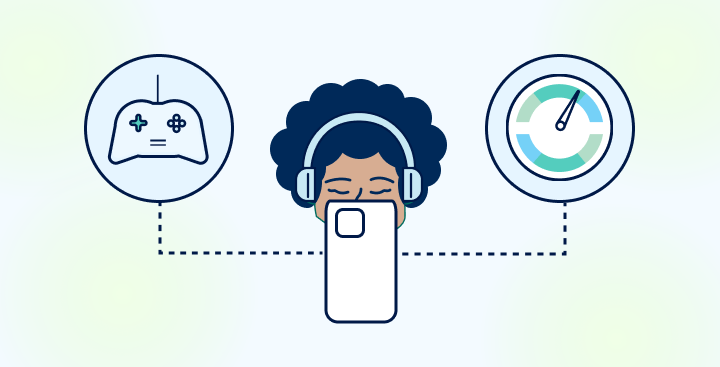
In the dynamic world of mobile gaming, having a stable, fast connection from reliable internet providers is essential. The internet speed provided by your ISP matters significantly, whether you’re a casual or hardcore gamer. Let’s explore popular genres and their connectivity needs to determine your ideal mobile gaming speed with the right internet providers.

Casual Games: Light & Easy

Casual games encompass a wide range of low-intensity titles on mobile devices, from brain teasers like Sudoku to hyper-casual tapper games. With minimal real-time interactions and low data usage, casual games have relatively modest internet speed requirements.

A basic 3-8 Mbps connection should provide a smooth gaming experience without disruption. You can enjoy lag-free gaming sessions without needing the highest internet speeds. Top Casual Games include:

  • Cosmic Rewards: Casual games with play-to-earn rewards like gift cards to Amazon and Target.
  • Words with Friends 2: Chat and expand your vocabulary with word game matches

Life in the cloud requires fast internet

default graphic

Online Multiplayer Games: Real-Time Challenges

Online multiplayer games bring players together for intense real-time collaboration and combat. Here, fast reflexes and split-second decision-making are essential – any delay due to lag can mean losing.

To enable seamless competitive gameplay, aim for download speeds of at least 20-25 Mbps. A low-latency connection is also equally crucial for lag-free gaming. Top Multiplayer Games include:

  • Call of Duty Mobile: FPS action and varied multiplayer modes
  • Clash Royale: Real-time card battles against online opponents

Cloud Gaming: The Future of Mobile Play

Cloud gaming has emerged as an exciting development, allowing gamers to stream gameplay directly from remote servers. With your commands and inputs being instantly transmitted online, cloud gaming demands higher bandwidths for smooth data transfer and minimal latency.

For the optimal cloud gaming experience, target download speeds of 25-50 Mbps at a minimum. Fast cloud gaming requires consistently high internet speeds – especially with immersive titles consuming up to 10GB per hour. Top Cloud Gaming Services include:

  • Xbox Cloud Gaming: Stream Xbox console games directly to your phone
  • Amazon Luna: Cloud game streaming for Prime members

Factors Impacting Mobile Internet Speed

Factors Impacting Mobile Internet Speed

Several factors can affect your mobile internet speed, and being aware of them can help you optimize your gaming experience.

  • Network Congestion: High network traffic during peak hours or in densely populated areas can cause slow internet speeds.
  • Physical Obstructions: Thick walls, large buildings, and natural barriers can weaken your Wi-Fi signal or interfere with cellular reception.
  • Data Plan Limitations: Many mobile data plans come with data caps or fair usage policies. After reaching your monthly data allowance, your internet speed may be throttled.
  • Signal Strength: The strength of your cellular signal or Wi-Fi connection directly affects your internet speed.
  • Device Performance: The capabilities of your mobile device play a role in internet speed.

Find how much Internet Speed do you need

Your household may want faster internet speeds.

<50 Mbps

Great for individuals to browse the internet, check email, and other basic browsing.

50-100 Mbps

Great for streaming Netflix, videos, and online meetings.

100-200 Mbps

Great for streaming high quality videos, fast downloads, video games, and multiple devices.

200+ Mbps

Great for doing almost anything at ultra fast speeds.

Optimizing Mobile Gaming Speed & Performance

Factors like network congestion, poor signal strength, and device performance can hamper your mobile speeds and disrupt gameplay. Consider these tips:

  • Consider gaming during off-peak hours or switching to a less congested network if possible to enjoy smoother gameplay.
  • To enhance your connection, position yourself closer to the router, or use Wi-Fi extenders for better coverage.
  • Upgrading to a more generous data plan or a wireless internet plan can prevent disruptions during your gaming sessions.
  • If you experience slow speeds or frequent disconnections, check your device’s signal indicator and switch to a network with a stronger signal if possible.
  • Consider upgrading to a device with better performance. If you’re a casual gamer, optimizing your current device may improve your gaming experience.

Choose the Right Mobile Internet Speed for Gaming

Choosing the right mobile internet speed is essential for a smooth and enjoyable gaming experience. Consider your gaming habits, research speed requirements for your favorite apps and titles, and select a high speed internet plan that aligns. With matching connectivity, you can optimize performance, reduce lag and buffers, and immerse yourself in mobile play anytime, anywhere.
Gigabit internet is a type of high-speed internet service that provides speeds of up to 1,000 Megabits per second (Mbps). This is substantially faster than typical home broadband internet speeds, which range from 10 Mbps to 500 Mbps.

Gigabit internet is an excellent option for households that frequently use data-intensive applications such as streaming apps, and downloading large files, and especially for those who require high-quality internet speeds for gaming. This type of internet connection offers impressive download and upload speeds, which are necessary to support multiple devices being used simultaneously. 

Here are some of the benefits of gigabit internet:

Faster Streaming

Gigabit internet can handle multiple high-definition (HD) or 4K streams concurrently. There’s no need to worry about buffering or degraded quality, even with multiple streams in a household.

Reduced lag

Faster internet can reduce lag (internet latency), improve download times for games and updates, and enhance the overall multiplayer experience.

Smoother video conferencing

For households where multiple members are working from home, gigabit internet can handle several video conference calls simultaneously without a hitch.

Quicker file transfers

If your work involves frequently downloading or uploading large files, gigabit internet significantly reduces the time you spend waiting.

Support for smart homes

For households with many smart devices (such as security cameras, smart speakers, etc.), gigabit internet can accommodate these devices’ data demands without slowing down.

Find how much Internet Speed do you need

Your household may want faster internet speeds.

<50 Mbps

Great for individuals to browse the internet, check email, and other basic browsing.

50-100 Mbps

Great for streaming Netflix, videos, and online meetings.

100-200 Mbps

Great for streaming high quality videos, fast downloads, video games, and multiple devices.

200+ Mbps

Great for doing almost anything at ultra fast speeds.

Gigabit Internet Cost

Gigabit internet can be more expensive than traditional broadband internet. The cost of gigabit internet varies depending on the provider and the location. Typical gigabit internet costs are between $60 – $100 per month. However, there are some providers that offer gigabit internet for less than $60 per month.

  • Xfinity gigabit internet: $70/mo.
  • AT&T gigabit internet: $95/mo.
  • Spectrum gigabit internet: $99/mo.

Gigabit for Businesses

Gigabit internet can be a valuable asset for businesses that need to transfer large amounts of data or support numerous employees. The fast speed of gigabit internet improves employee productivity and efficiency, along with quick access to valuable cloud-based computing systems frequently used by modern businesses. Beyond its employees, gigabit internet is an ideal high-capacity internet solution for companies that offer public WiFi to its guest, clients, and customers.

If you’re looking for a high-speed internet service that can handle your household’s needs, gigabit internet is a great option. However, it’s important to note that gigabit internet is not available in all areas and can be expensive. If you’re not sure if gigabit internet is available in your area, you can contact your internet service provider to inquire about their gigabit internet plans.

Zoom is likely going to be a prominent tool for the foreseeable future for those who work from home. However, to ensure a smooth Zoom experience, having an internet connection with adequate speed is crucial. But what is a good internet speed for Zoom? Let’s explore.

Understanding Zoom’s Internet Speed Requirements

Zoom’s bandwidth requirements vary based on the kind of usage you have in mind. According to Zoom’s official recommendations, here are the minimum speeds for different activities:

  1. For Single Screen: 1-on-1 video calling:
    • High-quality video: 0.6 Mbps (up/down)
    • HD video: 1.2 Mbps (up/down)
  2. For Group Video Calling:
    • High-quality video: 0.8 Mbps (up/down)
    • HD video: 1.5 Mbps (up/down)
  3. For 1080p HD Video:
    • Receiving 1080p HD video: 1.8 Mbps (up/down)
    • Sending 1080p HD video: 3.0 Mbps (up/down)

While these are the official recommendations, in practice, it’s advisable to have more bandwidth available to accommodate other devices and activities on your network simultaneously.

Actionable Steps to Enhance Zoom Performance

Check Your Internet Speed

Evaluate your internet speeds with ease using tools like testmyspeed.com. Discover more details about your speed test results to optimize your online experience.

Upgrade Your Internet Plan

If you find yourself frequently frustrated with sluggish Zoom calls, it might be time to consider upgrading your internet service provider (ISP). Here’s a breakdown to help you choose the right plan for your Zoom needs:

For Value and Basic Needs:
Centurylink internet DSL plans offer a reliable and budget-friendly option with at least 10 Mbps download speeds, perfect for basic Zoom calls and browsing.

For Top Speed and Reliability:
If you require top-notch video quality and experience frequent Zoom meetings with multiple participants, Earthlink internet fiber plans are a strong choice. Their high-performance network delivers the speed and stability needed for seamless video conferencing.

For Remote Locations:
For those in remote areas where traditional options might not be available, Starlink internet provides a reliable option. Keep in mind that satellite internet generally has higher latency compared to other connection types, so it’s best suited for basic Zoom calls where a slight delay might be acceptable.

For a Balance of Speed, Affordability, and Everyday Use:
Consider Xfinity internet and their cable internet plans. They offer a good balance of speed and affordability, making them a good choice for most Zoom users who also use the internet for other daily activities like browsing and streaming.

By understanding these options and your specific needs, you can choose the best internet service provider for optimal Zoom performance.

Limit Other Internet Activities

During your Zoom call, it’s best to avoid other internet activities, especially bandwidth-heavy ones like streaming or gaming online. They could affect the call’s quality and create unnecessary interruptions.

Optimize Zoom Settings

You can tweak your Zoom settings to use less bandwidth. Options include disabling HD video, turning off your video, or limiting the number of participants displayed.

Pros and Cons of Having High Internet Speed for Zoom

ProsCons
Improved Quality: Higher internet speeds will improve the quality of your Zoom calls, with clearer audio and video.Increased Costs: Upgrading to a faster internet plan often means higher monthly costs.
Less Buffering: You’ll experience fewer delays or internet latency with higher speeds, leading to smoother calls.Potential Overkill: If Zoom is your primary online activity, you might not need an ultra-high-speed plan. Paying for more speed than you use isn’t cost-effective.
Multitasking Capabilities: Faster internet enables you to run other online activities simultaneously without impacting your Zoom call quality.

The Ideal Internet Speed for Zoom

Zoom’s official minimum requirement for HD video is 1.2 Mbps for 1-on-1 calls and 1.5 Mbps for group calls. However, to ensure a strong Zoom experience, an internet speed of at least 10 Mbps is recommended, giving room for other network activities without reducing call quality.

Keep in mind that internet providers offer different speed levels that should be chosen according to individual internet usage and the number of devices using the same network. Before upgrading your internet plan, use the internet speed calculator below to help make a better-informed decision about your upgrade options.

Find how much Internet Speed do you need

Your household may want faster internet speeds.

<50 Mbps

Great for individuals to browse the internet, check email, and other basic browsing.

50-100 Mbps

Great for streaming Netflix, videos, and online meetings.

100-200 Mbps

Great for streaming high quality videos, fast downloads, video games, and multiple devices.

200+ Mbps

Great for doing almost anything at ultra fast speeds.