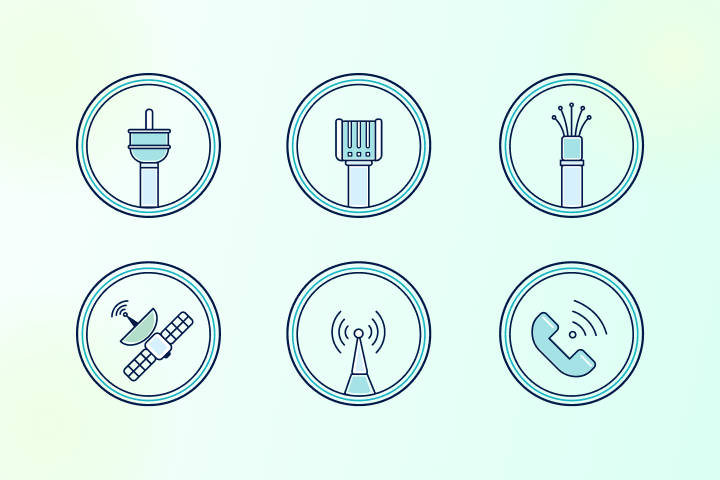
There are six main types of internet connections available to U.S. households: fiber, cable, DSL, satellite, fixed wireless, and 5G home internet. Each one delivers internet service differently. The right choice depends on where you live, what you use the internet for, and how much you want to spend.
If you’re trying to figure out whether fiber is worth it over cable, whether satellite can actually handle video calls, or which option makes sense in a rural area, you’re in the right place. This guide breaks down how each connection type works, what speeds you can realistically expect, what it’ll cost, and who it’s best for.
We’ll also help you evaluate your current performance with our new speed test thresholds:
Poor
Fair
Good
Very Good
So, you can benchmark your current connection against real-world performance standards for your specific internet type.
Key Takeaways
- Availability is King: Most U.S. households only have access to 2-3 internet connection types, with cable and DSL being the most common.
- Know Your Thresholds: Understanding whether your speed test results fall into the Poor, Fair, Good, or Very Good ranges helps diagnose whether your ISP is delivering what you pay for.
- Fiber Wins on Speed: Fiber internet is generally the fastest and most reliable connection, but it has limited availability compared to cable.
- Rural Options Exist: Satellite and Fixed Wireless are vital lifelines for areas where wired connections like cable or fiber aren’t available.
Comparing the Different Types of Internet Connections
There are six main internet connection types available today: Fiber, Cable, DSL, Satellite, Fixed Wireless, and 5G. The main factor in your decision is usually availability; depending on where you live, you likely have access to only two or three of these.
Here is a quick breakdown of what each type typically offers:
| Internet Type | Download Speed Range* | Latency (Typical) | Price Range* | % of US Pop. with Access** |
| Fiber | 100 – 10,000 Mbps | 1 – 10 ms | $35.00 – $299.95/mo. | 40% |
| Cable | 25 – 1,000 Mbps | 10 – 35 ms | $19.99 – $120.00/mo. | 88% |
| DSL | 10 – 150 Mbps | 25 – 75 ms | $19.99 – $69.99/mo. | 89% |
| Satellite (LEO) | 50 – 250 Mbps | 20 – 60 ms | $50.00 – $250.00/mo. | 99% |
| Satellite (GEO) | 12 – 150 Mbps | 500 – 800 ms | $49.99 – $99.00/mo. | 99% |
| Fixed Wireless | 25 – 300 Mbps | 30 – 70 ms | $29.99 – $99.00/mo. | 43% |
| 5G Home Internet | 50 – 1,000 Mbps | 10 – 40 ms | $50.00 – $70.00/mo. | 75% |
**Percentages based on FCC internet availability data.
Need to know if you’re getting what you pay for? Read our guide on how to ensure you get the internet speed you’re paying for and learn more about understanding internet bandwidth vs. speed.
1. Fiber Internet
Fiber is widely considered the best internet connection currently available. It uses fiber-optic cables made of glass to transmit data as light signals, enabling incredibly high speeds and lower latency than copper wires.
Performance Thresholds:
- Poor: 0 – 99 Mbps
- Fair: 100 – 199 Mbps
- Good: 200 – 499 Mbps
- Very Good: 500+ Mbps
Pros:
- Fast symmetrical speeds (crucial for download vs upload speeds).
- Highly reliable and resistant to weather interference.
- Supports remote work and heavy multi-user households.
Cons:
- Can be expensive compared to DSL.
- Limited availability in many regions.
If you have access to gigabit internet, fiber is almost always the superior choice to avoid lag in mobile gaming.
2. Cable Internet
Cable internet uses the same coaxial cables that deliver cable TV to your home. It is one of the most common types of internet connections in the U.S., offering a great balance of speed and availability.
Performance Thresholds:
- Poor: 0 – 24 Mbps (or frequent dips below plan)
- Fair: 25 – 99 Mbps
- Good: 100 – 199 Mbps
- Very Good: 200+ Mbps
Pros:
- Widely available across the country.
- Fast download speeds support high-quality streaming.
- Generally lower latency than satellite or DSL.
Cons:
- Bandwidth is shared with neighbors, so internet traffic affects speed during peak hours.
- Upload speeds are usually much slower than download speeds.
- Moderate-to-high pricing.
If you notice slowdowns in the evening, check our guide on 15 reasons for slow internet to see if network congestion is the culprit.
3. DSL Internet
DSL (Digital Subscriber Line) utilizes existing telephone lines to transmit data. While it’s one of the older types of internet, it remains a vital option for areas where cable and fiber haven’t been deployed.
Performance Thresholds:
- Poor: 0 – 9 Mbps
- Fair: 10 – 24 Mbps
- Good: 25 – 49 Mbps
- Very Good: 50+ Mbps
Pros:
- More affordable than fiber or cable.
- Widely available, even in rural locations.
- Dedicated line (not shared with neighbors like cable).
Cons:
- Speeds are significantly slower than modern connections.
- Distance from the provider’s hub can cause latency issues.
- Struggles with modern demands like 4K streaming or large downloads.
If you are on DSL and experiencing buffering, it might be helpful to learn what a good internet speed is for your specific usage habits to see if an upgrade is necessary.
Knowing the types means nothing if you don’t know your own.
You just learned what fiber, cable, and DSL are capable of. Time to see what your connection is actually delivering.
Test what my connection is getting me4. Satellite Internet – GEO
Traditional satellite internet (geosynchronous equatorial orbit – GEO) uses satellites parked roughly 22,000 miles above Earth in geostationary orbit. Because data must travel such a vast distance to space and back, latency is inherently high, making GEO satellites poorly suited for video calls, gaming, or any real-time application. It remains a last resort when no other connection type is available.
Performance Thresholds:
- Poor: 0 – 11 Mbps
- Fair: 12 – 24 Mbps
- Good: 25 – 74 Mbps
- Very Good: 75+ Mbps
Pros:
- Available virtually anywhere with a clear view of the sky.
- Faster than dial-up and comparable to some DSL plans.
- Bypasses physical infrastructure barriers.
Cons:
- Expensive equipment and monthly fees.
- High latency makes it difficult for real-time activities, such as Zoom calls.
- Severe weather affects internet speed significantly.
Be mindful of data caps on satellite plans, and read our breakdown of internet speed test results to understand the high ping times associated with satellite.
5. Satellite Internet – LEO
Low Earth orbit (LEO) satellite services orbit just 340–600 miles above Earth, cutting the round-trip data distance from 44,000 miles to a few hundred miles. The result is latency comparable to a DSL connection, and speeds fast enough for 4K streaming, video calls, and even online gaming. LEO satellite internet has fundamentally changed what rural internet can look like.
Performance Thresholds:
- Poor: 0 – 24 Mbps
- Fair: 25 – 49 Mbps
- Good: 50 – 99 Mbps
- Very good: 100+ Mbps
Pros:
- Low latency (20–60ms) supports video calls and gaming
- Near-universal rural coverage
- Speeds are competitive with cable in many areas
- No data caps on most residential plans
Cons:
- High upfront equipment cost (~$349–$599 for hardware)
- Monthly pricing is significantly higher than cable or DSL
- Speeds can vary based on network congestion and obstructions
- The weather still causes occasional brief disruptions
6. Fixed Wireless Internet
Fixed wireless delivers internet via radio waves transmitted from a local tower to a receiver on your home. It bridges the gap for underserved areas, offering a solid alternative among different types of internet.
Performance Thresholds:
- Poor: 0 – 4 Mbps
- Fair: 5 – 14 Mbps
- Good: 15 – 24 Mbps
- Very Good: 25+ Mbps
Pros:
- Crucial for rural areas without cable/fiber access.
- Easier installation than wired infrastructure.
- Often supported by local, customer-focused ISPs.
Cons:
- Requires a direct line of sight to the transmission tower.
- Speeds can be unpredictable due to obstructions (trees, buildings).
- Can be pricey for the speeds delivered.
If your signal drops frequently, check if physical obstructions are one of the reasons for slow internet.
7. 5G Home Internet
5G Home Internet is the newest player, utilizing cellular networks to provide high-speed home connectivity. It uses millimeter-wave bands to deliver ultra-fast speeds wirelessly.
Performance Thresholds:
- Poor: 0 – 49.9 Mbps
- Fair: 50 – 99.9 Mbps
- Good: 100 – 499.9 Mbps
- Very Good: 500+ Mbps
Pros:
- Very fast speeds with low latency.
- Easy setup (plug-and-play gateways).
- Great connectivity for mobile gaming apps.
Cons:
- Availability is still limited to major metro areas.
- Signal has trouble penetrating thick walls.
- Speeds can fluctuate based on network load.
To see if 5G is right for you, check how streaming affects data usage to ensure the plan’s data limits match your lifestyle.
Test Your Internet Connection
Regardless of your connection type, it is vital to run regular speed tests. This helps you identify whether you are getting the “Very Good” speeds you pay for or stuck in the “Poor” range.
Testing helps you identify:
- Download vs. Upload bottlenecks: Are your upload speeds fast enough for video calls?
- Peak usage drops: Does your cable speed tank at 7 PM?
- Throttling: Internet throttling is when your ISP intentionally limits your upload and download speeds.
Take the test now at TestMySpeed.com and compare your results against the thresholds listed above.
How Much Internet Speed Do You Need?
Before choosing the best internet connection for your home, you need to know your speed requirements. If you have a house full of smart devices, gamers, and remote workers, you’ll need significantly more bandwidth than a single user checking email.
Find how much Internet Speed do you need
Your household may want faster internet speeds.
Up to 50 Mbps
Good for basic browsing, social media, and checking emails.
50-100 Mbps
Ideal for Zoom meetings and streaming HD video on 1-2 devices.
100-200 Mbps
Great for video streaming in 4K, online gaming, and multi-device homes.
200+ Mbps
Essential for large households, heavy downloading, and ultra-fast performance.
Once you run a speed test, you can classify your results as Poor, Fair, Good, or Very Good based on the connection type you have. This helps you determine if a slow connection is a result of your plan or a technical issue like ISP throttling.
Your connection type has a speed ceiling. Find yours.
TestMySpeed tells you exactly what your connection is delivering right now so you can see whether your setup is living up to its potential.
Run a free speed testFAQs About Internet Connection Types
What are the main types of internet connections?
There are six main types of internet connections available to U.S. households: fiber, cable, DSL, satellite (GEO and LEO), fixed wireless, and 5G home internet. Each differs in speed, latency, price, and availability. Fiber offers the fastest and most reliable performance, while satellite internet provides the widest geographic coverage. Most households only have access to two or three connection types depending on where they live.
Which internet connection is the fastest?
Fiber internet is the fastest internet connection type, with speeds ranging from 100 Mbps up to 10,000 Mbps (10 Gbps) in some markets. It also offers symmetrical upload and download speeds, which no other mainstream connection type consistently delivers. Cable and 5G home internet are the next fastest options, though neither matches fiber’s top-end performance or upload consistency.
What is the difference between GEO and LEO satellite internet?
GEO (geostationary equatorial orbit) and LEO (low Earth orbit) satellite internet are fundamentally different technologies that deliver very different experiences.
GEO satellite (HughesNet, Viasat) uses satellites orbiting roughly 22,000 miles above Earth. Because data must travel that distance twice on every request, latency is extremely high (500–800ms). This makes GEO satellite poorly suited for video calls, gaming, or any real-time application. It is best used as a last resort where no other connection is available.
LEO satellite (Starlink, Amazon Leo) uses satellites orbiting just 340–600 miles above Earth, cutting latency to 20–60ms, which is comparable to DSL. Download speeds range from 50 to 220 Mbps on standard residential plans. LEO satellite can support 4K streaming, video calls, and most online gaming, making it a genuine broadband option for rural households.
If you’re in a rural area weighing satellite options, LEO satellite internet is almost always the better choice, unless cost is the primary constraint.
Which internet connection type is best for gaming and lowest ping?
Fiber internet offers the lowest latency for gaming, typically 1–10ms, making it the best connection type for competitive online play. Cable internet is a reliable alternative with latency in the 10–35ms range, which is fast enough for all but the most competitive esports scenarios. 5G home internet can also perform well for gaming, but speed and latency vary based on signal quality, tower congestion, and interference, making it less consistent than fiber or cable.
How do I know if my plan meets my needs?
Run a speed test and compare your results against the Poor, Fair, Good, and Very Good thresholds listed for your specific connection type above. If your results consistently fall in the Poor or Fair range, the issue is either your plan’s tier, network congestion, or a technical problem worth investigating. Use the speed guide in this article to determine whether an upgrade is warranted or whether a router placement or equipment issue might be the culprit.
Is fiber always better than cable?
Fiber is generally better than cable for speed, upload performance, and reliability, but cable is more widely available and still delivers strong performance for most households. Fiber offers faster upload speeds and lower latency, which matters for video calls, cloud backups, and gaming. That said, if fiber isn’t available at your address, a cable plan at 200 Mbps or higher will handle the needs of most households without issue.
Is 5G home internet a good replacement for cable?
5G home internet is a viable cable replacement in areas with strong 5G coverage, typically delivering speeds of 100–300 Mbps without a data cap. It is not as consistent as fiber or cable due to potential signal interference, weather sensitivity, and network congestion during peak hours. It works best as a cable alternative in urban and suburban areas where wired options are expensive or unavailable — but fiber remains the more reliable long-term choice where accessible.
Fixed wireless vs. satellite: which is better for rural internet?
Fixed wireless is generally the better choice for rural internet when tower coverage and line-of-sight are available, offering latency of 30–70ms and speeds up to 300 Mbps at a lower cost than satellite. LEO satellite (primarily Starlink) is the strongest alternative when fixed wireless isn’t an option, with latency of 20–60ms and speeds of 50–250 Mbps, a dramatic improvement over traditional GEO satellite providers like HughesNet and Viasat, which deliver 500–800ms latency. If neither fixed wireless nor LEO satellite is available, GEO satellite remains the last-resort option for connectivity in areas with no other broadband infrastructure.
How much internet speed do I actually need?
The speed you need depends on how many people and devices are using your connection simultaneously, and what they’re doing. Here are practical benchmarks.
- 25 Mbps: Sufficient for one person doing light browsing, email, and SD video streaming. Struggles with 4K or simultaneous users.
- 100 Mbps: Good for 1–2 people streaming HD or 4K video, working from home with video calls, or casual gaming on a few devices.
- 200–500 Mbps: Comfortable for 3–4 person households with multiple simultaneous streams, a remote worker, and online gaming. Recommended as a baseline for most modern households.
- 500 Mbps–1 Gbps: Ideal for households with 5 or more people, frequent large file transfers, content creators uploading video, or anyone who wants headroom for future devices.
Keep in mind that advertised speeds are maximums, not guarantees. Run a speed test at TestMySpeed.com to see what you’re actually getting and compare it to the benchmarks above.
Do all internet connection types support 4K streaming and video calls?
No, the internet connection type matters significantly for both 4K streaming and video calls. Here’s how each type performs.
- Fiber and cable: Both handle 4K streaming and video calls without issue at typical plan speeds. These are the most reliable options for multi-device households.
- 5G home internet: Supports 4K streaming and video calls in most cases, though speeds can vary. Generally reliable in areas with strong signal.
- LEO satellite: Capable of 4K streaming and video calls at typical speeds. Occasional brief interruptions can occur, but performance has improved significantly as the constellation has matured.
- DSL: Can stream HD video reliably, but 4K streaming on multiple simultaneous devices will strain most DSL plans. Video calls are generally fine on a single device at standard definition.
- Fixed wireless: Adequate for HD streaming and standard definition video calls. 4K streaming is possible but may be inconsistent depending on the provider and your signal quality.
- GEO satellite: Can technically stream video, but high latency (500–800ms) makes video calls unreliable and choppy. 4K streaming is inconsistent due to speed variability and data caps.
If video calls are a regular part of your workday, prioritize a connection with latency under 100ms, which rules out GEO satellite entirely.
How do I check which internet connection types are available at my address?
Visit HighSpeedOptions.com to search and compare internet providers, connection types, and plans available at your specific address. You can also check the FCC National Broadband Map for a provider-neutral view of what’s reported as available at your location. Keep in mind that reported availability and actual serviceability sometimes differ; contacting providers directly to confirm service at your address is always worth the extra step.
Can satellite support gaming?
LEO satellite internet (such as Starlink) can support gaming, with typical latency of 20–60ms, comparable to cable for casual and mid-tier competitive play. Traditional GEO satellite providers like HughesNet and Viasat are not recommended for gaming due to latency of 500–800ms, which causes significant lag in real-time gameplay. For the best gaming experience, wired connections like fiber or cable remain the preferred choice.
Choosing the Right Internet Connection for Your Needs
Choosing the Right Internet Connection for Your Needs
Picking the right connection comes down to availability, household size, and budget. If you’ve optimized your router and are still seeing “Poor” results, it might be time to switch.
- Fiber: The best internet option for gamers, large families, and remote workers.
- Cable: The most common choice for high-speed streaming and general use.
- DSL: A budget-friendly backup for light users.
- Satellite/Fixed Wireless: Essential lifelines for rural connectivity.
- 5G: A cutting-edge wireless alternative for city dwellers.